Compliance Mapping and Content
What it is
Five pages cover how controls relate to each other across frameworks, where those relationships came from, and how to bring in packaged content:
- Control Mappings (
/control-mappings) — crosswalks: links between compliance controls and the integration data points that produce automated evidence for them. - Mapping Provenance (
/mapping-provenance) — for every crosswalk between two framework controls, who or what created it (CMDash-seeded, AI-proposed, customer-added, customer-corrected, or imported), its overlap strength (Equivalent, Partial, or Weak), and a queue for proposing and reviewing corrections. - Evidence Mapping Proposals (
/evidence-mapping-proposals) — a feature of The Skeptic add-on that proposes control mappings across every enabled framework as evidence arrives, so you approve or reject a suggestion instead of hunting for which controls a new artifact satisfies. A tab on Evidence, not its own sidebar row (Compliance → Evidence → Mapping proposals). - Content Hub (
/content-hub) — signed, community-submitted maturity content packs you can install into your workspace. - Compliance Calendar (
/compliance-calendar, sidebar label "Calendar") — audit dates, deadlines, renewals, and milestones in one place.
A sixth item, framework import, is reached as the Import tab on the Compliance page (/compliance/import, page title "Custom Frameworks") rather than its own sidebar row — importing a compliance framework via CSV and auto-generating its crosswalk mappings.
When to use it
- Understanding why CMDash says one control satisfies another across two frameworks — not just that it does — before you cite that mapping to an assessor.
- Correcting a crosswalk that doesn't match your organization's actual control implementation, or reviewing a correction a colleague proposed.
- Speeding up evidence-to-control mapping on frameworks with heavy evidence volume, when it becomes tedious to file every new piece of evidence against controls by hand.
- Bringing in a maturity model CMDash doesn't ship natively, published and signed by another author.
- Tracking every audit, renewal, and compliance deadline in one calendar instead of across separate framework pages.
- Bringing a framework CMDash doesn't have prebuilt into your workspace as a custom framework.
Before you start
| Page | Tier | Role to view | Role to act |
|---|---|---|---|
| Control Mappings | Any tier | Owner, Admin, or Viewer | Add a mapping: Owner or Admin |
| Mapping Provenance | Command or higher (Mapping Provenance capability) | Owner, Admin, or Viewer | Propose or withdraw a correction: any of Owner, Admin, or Viewer. Approve or reject a correction: Owner or Admin |
| Evidence Mapping Proposals | Any tier — gated by the The Skeptic add-on | Owner, Admin, or Viewer, once the add-on is attached | Approve or reject a proposal: Owner or Admin |
| Content Hub | Command or higher | Any member | Install or remove a pack: Owner or Admin |
| Compliance Calendar | Any tier | Owner, Admin, or Viewer | Add an event: Owner or Admin |
| Import Framework | Enterprise (Custom Frameworks capability) | — | Importing a framework: role enforced per your organization's compliance permission (Owner/Admin in practice) |
How much is already mapped for your framework
<!-- GENERATED:EVIDENCE-DEPTH:BEGIN — do not hand-edit this block. Produced by `node scripts/framework-coverage.mjs` (`npm run docs:frameworks`) from the shipped native and derived evidence-mapping rule sets. Every count and every framework name below is parsed from that source, so adding a rule moves this block; `npm run docs:frameworks:check` fails the build if the committed copy drifts. -->How much evidence mapping is pre-built depends on the framework — and for 8 of the 20 frameworks CMDash ships, it is nothing at all. 12 frameworks arrive with at least one rule already written; 8 arrive with none.
This is a statement about what is pre-built, not about what is possible. Every framework in the catalog can be scoped, tracked, mapped and exported, and you can write a mapping or a continuous-compliance rule against any control of any framework by hand. What varies is how much of that work is already done for you on day one.
| Framework | Rules written for it | Rules reapplied from a crosswalk | What you start with |
|---|---|---|---|
| CMMC Level 2 | 32 | — | 32 pre-built connector checks (mapped by CMDash, not independently reviewed), with a connector check that contributes evidence to 16 of 110 controls |
| FedRAMP Moderate | 22 | — | 22 pre-built connector checks (mapped by CMDash, not independently reviewed), with a connector check that contributes evidence to 9 of 328 controls |
| SOC 2 Type II | 15 | 2 | 15 pre-built connector checks (mapped by CMDash, not independently reviewed), with a connector check that contributes evidence to 5 of 61 controls, plus 2 reapplied from a crosswalked framework (2 more) |
| HIPAA Security Rule | 15 | — | 15 pre-built connector checks (mapped by CMDash, not independently reviewed), with a connector check that contributes evidence to 8 of 53 controls |
| CIS Controls v8.1 | 14 | — | 14 pre-built connector checks (mapped by CMDash, not independently reviewed), with a connector check that contributes evidence to 8 of 153 controls |
| ISO/IEC 27001:2022 | 9 | 1 | 9 pre-built connector checks (mapped by CMDash, not independently reviewed), with a connector check that contributes evidence to 5 of 93 controls, plus 1 reapplied from a crosswalked framework (1 more) |
| CMMC Level 1 | 7 | — | 7 pre-built connector checks (mapped by CMDash, not independently reviewed), with a connector check that contributes evidence to 4 of 17 controls |
| HITRUST CSF v11 | — | 25 | No rules of its own — 25 reapplied from a crosswalked framework (15 controls) |
| NIST Cybersecurity Framework (1.1, legacy) | — | 18 | No rules of its own — 18 reapplied from a crosswalked framework (10 controls) |
| TISAX (VDA ISA v6) | — | 18 | No rules of its own — 18 reapplied from a crosswalked framework (12 controls) |
| NIST Cybersecurity Framework 2.0 | — | 9 | No rules of its own — 9 reapplied from a crosswalked framework (6 controls) |
| PCI DSS v4.0.1 | — | 2 | No rules of its own — 2 reapplied from a crosswalked framework (2 controls) |
| CMMC Level 3 | — | — | Nothing pre-built — every rule is one you write |
| DORA | — | — | Nothing pre-built — every rule is one you write |
| GDPR | — | — | Nothing pre-built — every rule is one you write |
| ISO/IEC 42001:2023 | — | — | Nothing pre-built — every rule is one you write |
| NIST AI Risk Management Framework 1.0 | — | — | Nothing pre-built — every rule is one you write |
| NIST SP 800-171 Revision 3 | — | — | Nothing pre-built — every rule is one you write |
| NYDFS Cybersecurity Regulation | — | — | Nothing pre-built — every rule is one you write |
| SOX ITGC | — | — | Nothing pre-built — every rule is one you write |
Starts from near-zero automation today: CMMC Level 3, DORA, GDPR, ISO/IEC 42001:2023, NIST AI Risk Management Framework 1.0, NIST SP 800-171 Revision 3, NYDFS Cybersecurity Regulation, SOX ITGC. Scoping one of these is fully supported — controls, evidence, crosswalks, POA&M and export all work — but the rules that turn integration data into evidence for its controls are ones you (or a crosswalk you add) create. Budget for that in your rollout plan.
"Rules written for it" are pre-built connector checks that CMDash mapped to that framework's own controls (not independently reviewed). "Reapplied from a crosswalk" are those same rules copied unchanged onto another framework's control because a curated crosswalk maps the two at high confidence — useful, and never a substitute for a check mapped directly to the control. The two are never added together into a single number. The full per-framework audit, including crosswalk and export coverage, is in docs/framework-coverage.md.
Evidence Mapping Proposals requires The Skeptic add-on — a real, purchasable add-on (unlike the AI Governance Pack described in the AI Governance guide, which isn't purchasable on any plan yet). If your workspace hasn't attached it, you'll see an upgrade prompt naming "The Skeptic" rather than the working page.
How to
Review why two controls are mapped
- Open Mapping Provenance from Compliance → All Compliance tools.
- Each row shows the source and target control, a strength badge (Equivalent, Partial, or Weak — hover for what each means), and an origin badge: CMDash-seeded, AI-proposed, customer-added, customer-corrected, or imported.
- Click a row to open its detail drawer for the full history — origin and any supersession are read directly from the API, never recomposed on the page, so what you see here always matches what an auditor would be told.
Propose or review a mapping correction
- On the Mapping Provenance page, open the row you want to correct and find Propose a correction.
- Describe the correction and click Submit for review. Any role — including Viewer — can submit a proposed correction or withdraw their own.
- An Owner or Admin reviews the correction queue and clicks Approve or Reject on each pending item.
Add a manual control mapping
- Open Control Mappings from Compliance → All Compliance tools.
- Click Add Mapping.
- Choose the control and the integration data point it should be linked to, then click Create.
Approve an AI-proposed evidence mapping
- Open Compliance → Evidence, then the Mapping proposals tab (requires The Skeptic add-on).
- As evidence arrives from your connected integrations, CMDash proposes which controls, across every enabled framework, that evidence likely satisfies.
- Review each proposal and click Approve to apply the mapping, or Reject to dismiss it. Approving here has the same effect as mapping the control by hand on Control Mappings — nothing is added silently in the background before you decide.
Install a community content pack
- Open Content Hub from the Overview section.
- Each available pack shows its publisher, a verification badge, and — if unsigned or unverifiable — a disabled Install button with an explanation. CMDash will not let you install an unverified pack.
- Click Install on a verified pack. Already-installed packs are marked Installed.
- If you want to publish a pack of your own for other organizations to install, see
docs/content-hub/submitting-a-pack.md— that is the author-facing side of this same feature.
Track compliance dates
- Open Calendar from the Compliance section.
- Click Add Event to record an audit date, deadline, renewal, or milestone by hand, or Add industry event to pull in a common, pre-defined date for your sector.
- Filter and browse the calendar to see everything coming up in one place instead of checking each framework page separately.
Import a custom framework
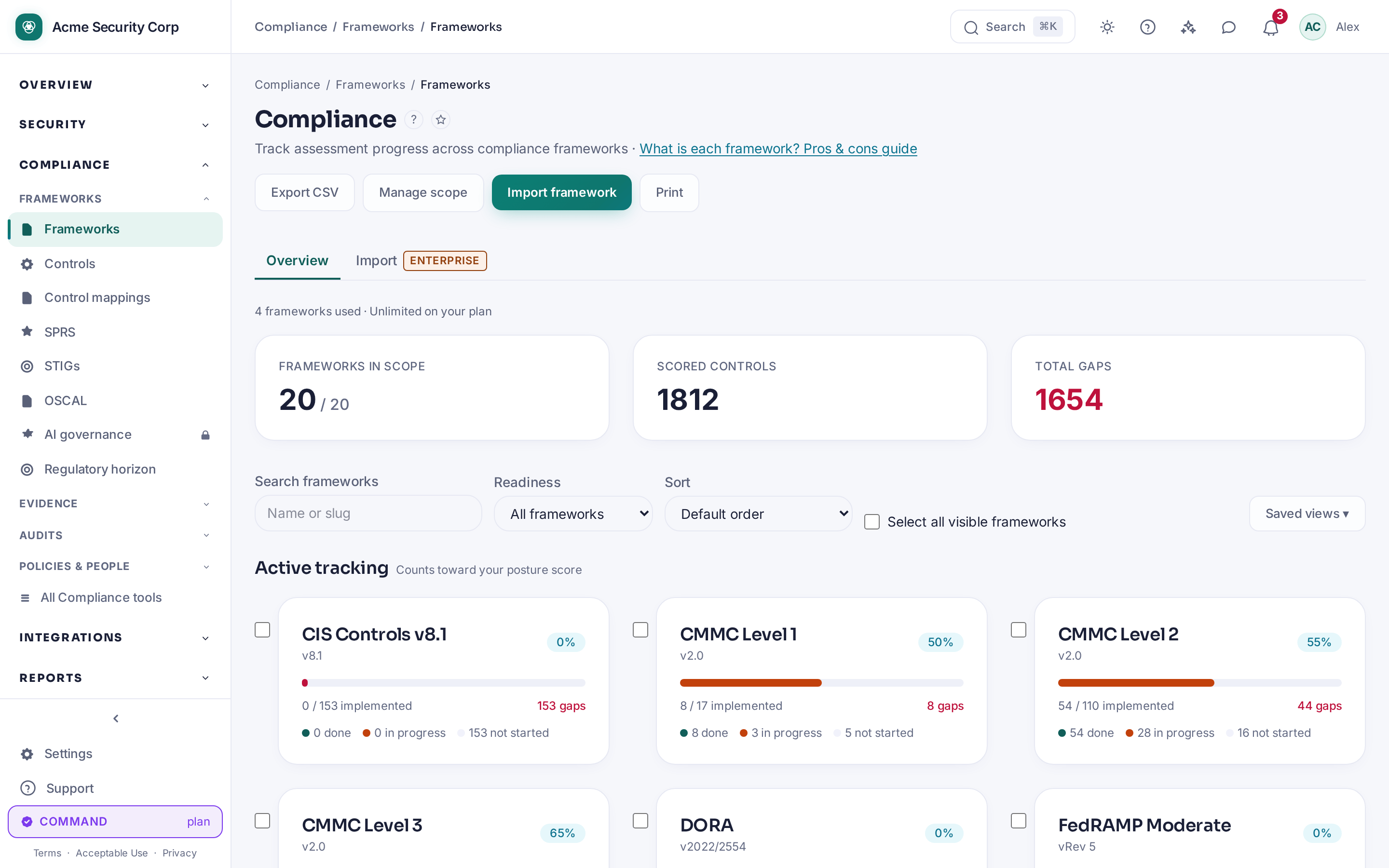
- Open Compliance → Frameworks, then the Import tab (Enterprise tier).
- Click + Import Framework, upload your CSV, and confirm.
- CMDash auto-generates crosswalk mappings from the imported controls to your existing frameworks where a strong match exists — review those on Mapping Provenance afterward, where they'll appear tagged as Imported.
- Re-importing a framework as a new version carries prior assessments forward rather than starting over.
Common questions
What does "Weak" strength mean on a crosswalk — should I remove it? Weak means CMDash found a partial conceptual overlap between the two controls, not that the mapping is wrong or useless. Use the strength badge to judge how much weight to put on it when citing the mapping to an assessor, rather than treating every mapping as equally strong evidence.
Can a Viewer break a crosswalk by proposing a bad correction? No — a Viewer (or any role) can propose or withdraw a correction, but only an Owner or Admin can approve one. Nothing changes until that approval happens.
Is an AI-proposed mapping automatically applied? No. Every AI-proposed evidence mapping sits in the Evidence Mapping Proposals queue until an Owner or Admin explicitly approves it.
Why can't I install a content pack? Either your role isn't Owner/Admin, or the pack failed signature verification — CMDash disables the Install button and states the reason rather than letting you install something unverifiable.
Related
- Compliance Frameworks — the frameworks these crosswalks connect
- Evidence Collection — how evidence is captured before it's proposed for a mapping
- AI Governance — the AI Governance Pack and The Skeptic add-ons, and why they're distinct
- Publisher reference:
docs/content-hub/submitting-a-pack.md